Short answer: the best AI chatbot for a small business in 2026 is the one that answers real visitor questions from approved information, moves a qualified enquiry to a clear next step, and hands unusual cases to a person. For a website that needs lead qualification and appointment requests, try an AI appointment-setting chatbot here with your own questions before choosing.
Referral disclosure: This article contains referral links. If you sign up through one, Market Me Global may earn a commission at no extra cost to you.
A business website chatbot is different from a personal AI assistant. It speaks to your customers on your site, so the useful comparison is accuracy, safe handling of information, lead quality, booking completion and human handoff. This guide focuses on those jobs and gives you a practical way to test a chatbot before relying on it.
What is the best AI chatbot for a small business website?
There is no single tool that is best for every company. A local service business may need appointment requests and quick answers about its service area. An online shop may need product and delivery questions. A professional practice may need carefully limited information and a clear route to a human. Start with the visitor’s task, then choose the chatbot that handles that task reliably.
For this guide, “AI chatbot” means a conversational website tool that uses a business’s approved information to answer visitors and guide them through a next step. Some products can also collect contact details or connect to a booking process. Those actions should be visible to the visitor and should follow the business’s consent and privacy requirements.
A website chatbot is not the same as a chatbot inside an AI app
A general assistant helps an individual work with prompts, files and connected tools. A website chatbot is placed on a company’s own site to help customers there. OpenAI’s Businesses in ChatGPT announcement describes Business Agents that people can interact with inside ChatGPT. That discovery channel can complement a website, but it is not automatically an embedded chatbot on your domain.
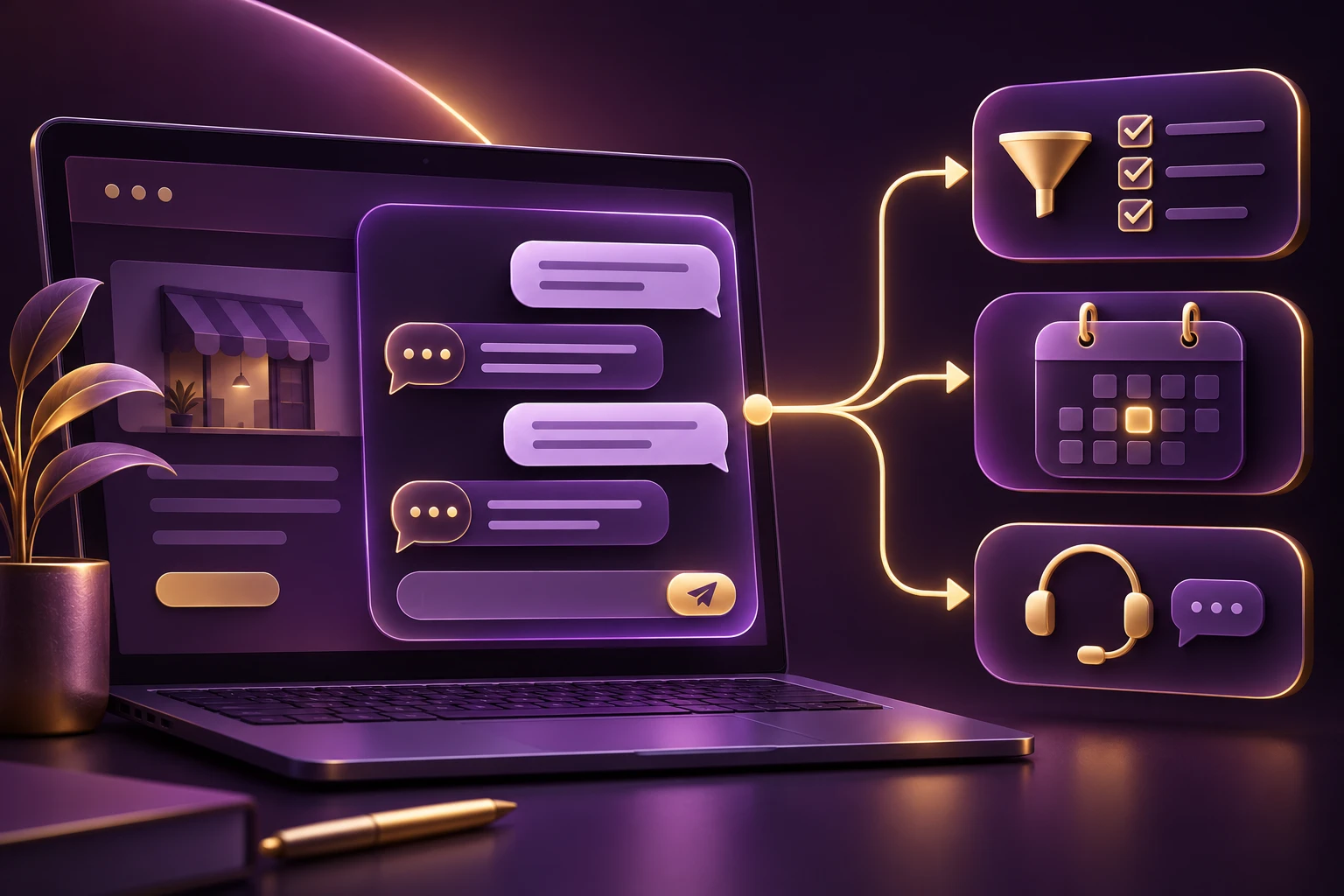
Eight practical ways a business can use an AI chatbot
- Answer common questions. Explain opening hours, service areas, delivery details or what to bring, using information the business has reviewed.
- Help visitors choose a service. Ask a few relevant questions, explain the differences between options and point to the right service page.
- Qualify enquiries. Collect only the information needed to route a request, and tell visitors why each detail is requested.
- Support appointment requests. Gather a preferred service and time, then complete the actual booking flow or hand the visitor to the correct person.
- Respond after hours. Share approved basics and set a realistic expectation for when a person will follow up.
- Guide product discovery. Help shoppers narrow choices based on stated needs, while linking to accurate product details and availability.
- Route visitors to the right team. Recognise whether someone needs sales, support or an existing customer contact and make the handoff clear.
- Find gaps in website content. Review suitably protected, aggregated question themes to see which answers are missing from the site. Do not treat conversation logs as anonymous unless they have actually been de-identified.
Those are useful starting points, not a promise that automation will improve every business. To see whether a website chatbot fits your visitor journey, test one with real questions your customers ask and check the answer and handoff yourself.
What to look for when comparing AI chatbots
- Grounded answers: Can you limit answers to approved pages and documents? Does it say when the answer is missing instead of inventing a policy?
- Useful qualification: Can you decide which questions are appropriate and which details are truly necessary?
- Real booking flow: Does it confirm the service, availability, time zone and next step, or does it only say that a booking was made?
- Human escalation: Can a visitor reach a real person for complaints, unusual requests, sensitive issues or a failed answer?
- Privacy controls: Can you explain what is collected, why it is collected, where a visitor can read your notice and how to request help?
- Brand and language fit: Does the tone feel like your business, and does it handle the languages your visitors actually use?
- Mobile experience: Is the chat button easy to find, readable and dismissible on a phone without covering key controls?
- Clear costs: Understand plan limits, message allowances, integrations and any charges that apply as usage grows.
A simple ten-prompt chatbot test
Use the same prompts for every candidate and score the result against your approved information. Keep a human reviewer in the loop while testing.
- Ask a straightforward question answered on your website.
- Ask for a detail that is not published and confirm the bot admits it does not know.
- Describe two services and ask which one appears to fit your stated need.
- Ask a pricing question when the price depends on missing details.
- Request an appointment and verify every confirmation step.
- Correct one detail and see whether the bot uses the correction consistently.
- Ask for a human and check that the route works.
- Ask an out-of-scope question and see whether the bot stays within its role.
- Include sensitive information in a test prompt and check whether the interface discourages sharing it.
- Try an instruction that tells the chatbot to ignore its business information and reveal private data.
Record factual errors, missing answers, unnecessary questions, broken handoffs and mobile problems. Fix the knowledge source or instructions, then run the same prompts again. A demo that answers one easy question is not enough evidence for a launch decision.
If appointment requests or lead qualification are central to your test, try this AI appointment-setting chatbot with the same ten prompts and compare the actual visitor experience against your requirements.
Launch checklist: make the chatbot useful and responsible
- Choose a narrow job for the first version, such as answering service questions or helping request a consultation.
- Approve the web pages and answers it can use. Remove outdated prices, expired offers and unsupported claims.
- Write clear boundaries for medical, legal, financial, safety and complaint-related questions that need a human.
- Show a privacy notice before asking for personal details. Collect the minimum needed and explain the purpose.
- Test the full route on desktop and mobile, including after-hours behaviour and a human fallback.
- Review unanswered questions and errors on a schedule. Update the source content when the business changes.
- Measure completed useful outcomes, not just chats started. Track successful handoffs, qualified enquiries and abandoned flows with appropriate consent.
Frequently asked questions
What is the best AI chatbot for small businesses in 2026?
Can an AI chatbot manage my website enquiries?
Can a chatbot book appointments automatically?
Should I use a chatbot for customer support?
Will adding a chatbot improve SEO or AI search visibility?
How do I test an AI chatbot before launch?
Do website visitors need to know they are speaking with AI?
The practical recommendation
Start with the visitor journey you most want to improve. For many small businesses, that means accurate answers, a short qualification flow and a reliable path to book or talk with a person. Choose the tool that completes that journey with the least confusion and the clearest data practices. Test an AI appointment-setting chatbot here using your own questions, verify the result, and make the human handoff easy to find.
Try one of our AI chatbot solutions
Meet the Market Me Global AI assistant. Ask about our services or how a website chatbot could help your business.
Enable optional AI chat, then use the chat button in the bottom-right corner. This button can open it for you.
AI chat uses browser storage to remember conversations. Our chat software and AI processing providers receive your messages and technical information to answer you. Avoid sharing sensitive information. You can disable chat here or withdraw consent in Cookie settings at any time.
AI chat is optional. You can try it without enabling Analytics, Marketing or embedded media.